
01 Desktop network operations
Operate the networkwithout losing the thread.
Terminals, controller APIs, portals, remote desktop, network documentation, and AI—one desktop workspace, with every session keeping its own context.
01Exact session
02Local records
03Explicit action
LIVE WORK / 01CURRENT PRODUCT UI
THE OPERATING IDEA
The tool changes.
The context shouldn’t.
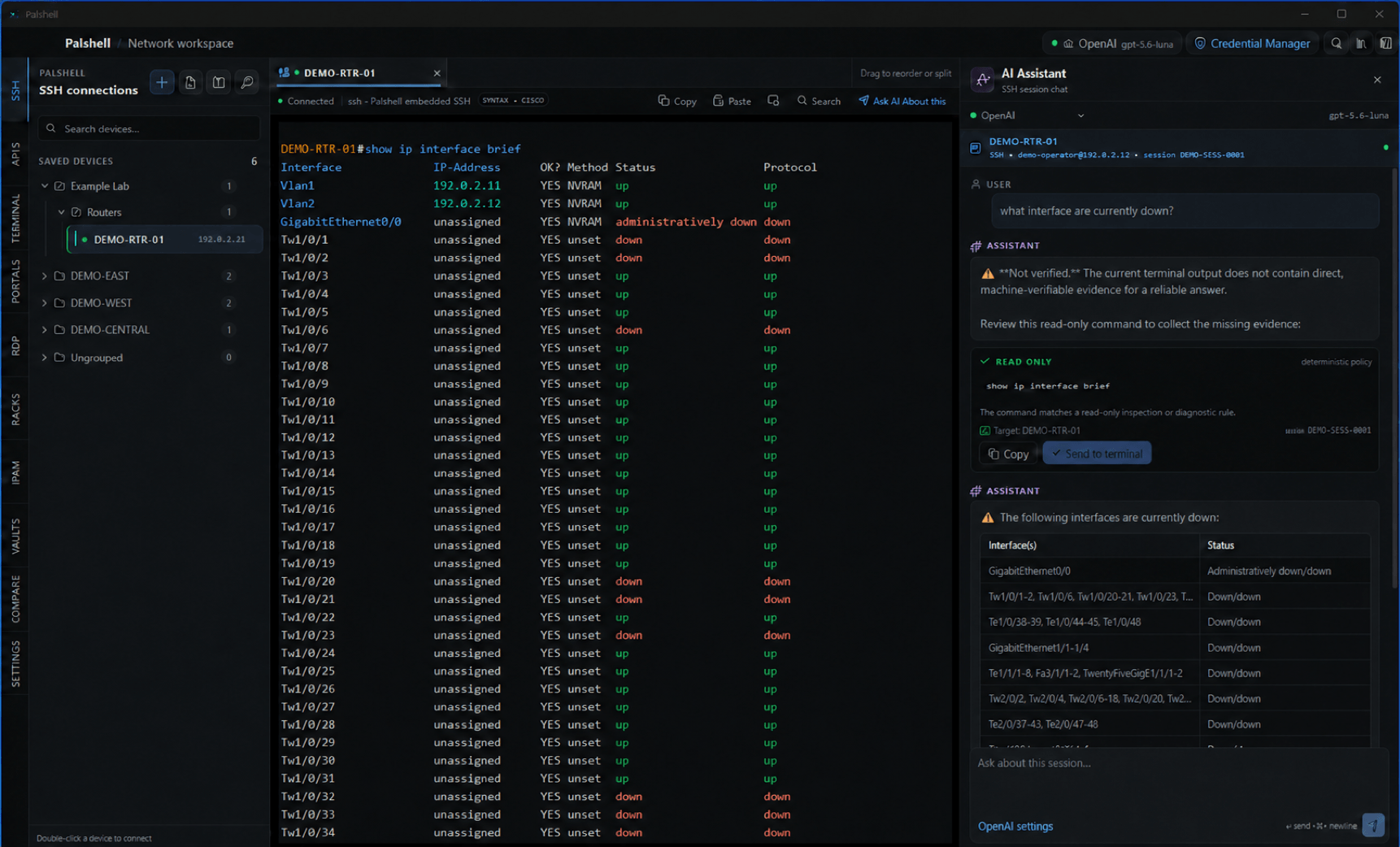
Palshell keeps the identity of a terminal, controller, portal, or canvas intact while you move through the work around it.
Work live
Split two SSH sessions. Keep both exact.
Saved devices, embedded SSH, local shells, controller APIs, portals, and remote desktop profiles—each with its own lifecycle.See the system
Trace the cable. Read the topology.
Track equipment, racks, exact ports, logical links, site maps, VRFs, VLANs, addresses, and configuration differences.Ask in context
AI belongs to the session—not the whole app.
Bound context to the active terminal, API, or portal; then review the exact command and target before input is sent.LOCAL-FIRST / PRECISELY
Your workspace lives here. Your network still lives there.
Non-secret workspace records stay on your device. Stored secrets use macOS Keychain or Windows Credential Manager. Network actions and AI requests contact only the destinations you choose.
See every boundary