

Equipment Inventory
Keep equipment records in one dedicated workspace. Add assets manually or import records from saved API requests and JSON files, then organize them by category, lifecycle status, and site.
Desktop network workspace · active validation
Desktop release coming soon04 Network workspaces
Turn equipment records, diagrams, and infrastructure knowledge into local Inventory, rack, topology, map, IPAM, and comparison workspaces.
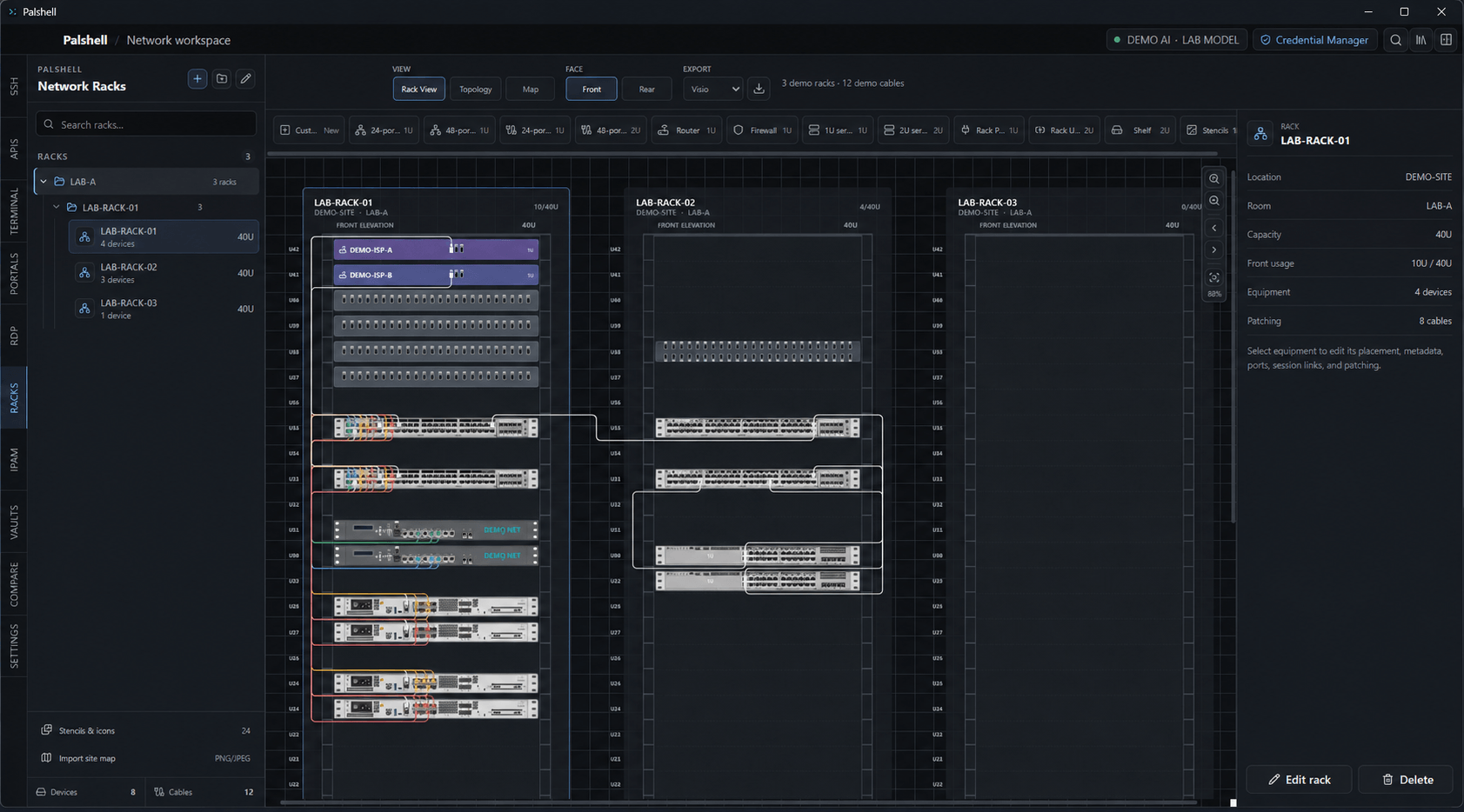
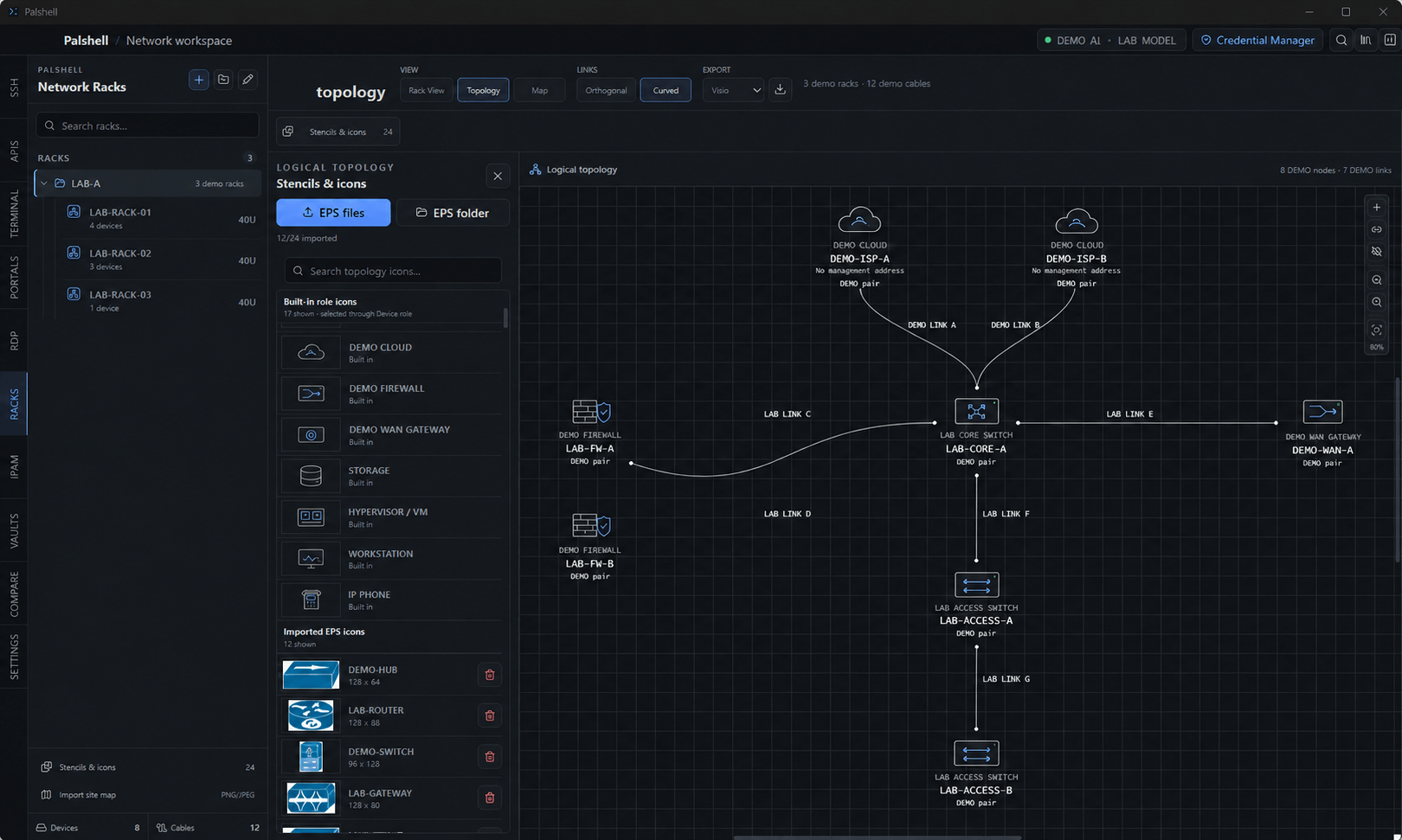
01 From physical to logical
Documented rack links can inform logical topology while topology-only overlays remain editable on their own terms.
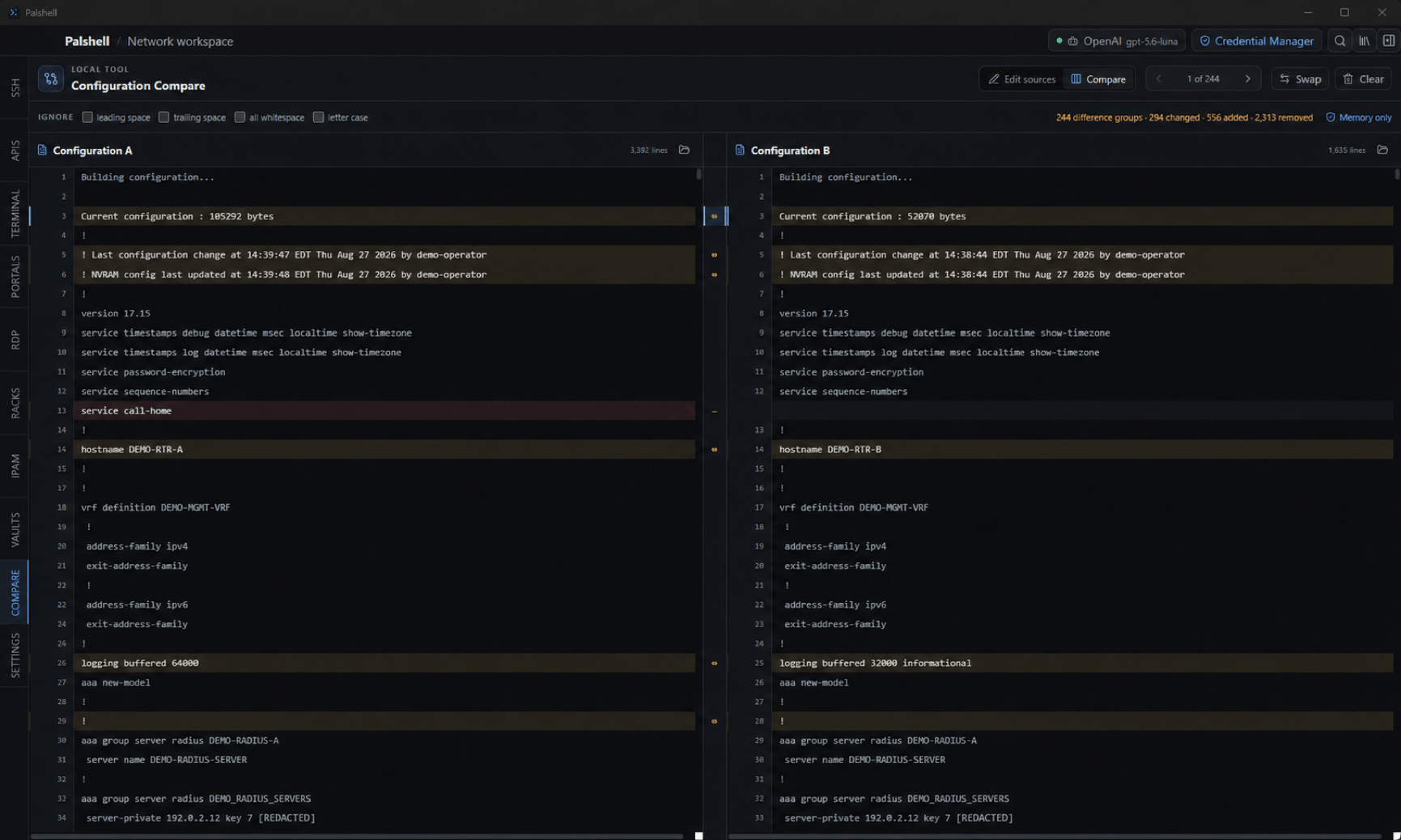
02 Configuration comparison
Read added, removed, and changed lines side by side without turning comparison into a live device action.
03 Local documentation
Keep equipment records in one dedicated workspace. Add assets manually or import records from saved API requests and JSON files, then organize them by category, lifecycle status, and site.
Arrange equipment faces, map exact ports, and trace selected cables across one rack or a site-scoped grid.
Project documented links into logical topology, add overlays, and place network notes on an editable local map.
Record VRFs, VLANs, prefixes, and addresses; search locally; and open explicitly linked SSH sessions.
Compare two pasted or user-selected local configurations in memory with line-oriented, read-only output.
04 Inventory boundaries
Inventory is a dedicated local workspace with deliberate imports, explicit validation, and separate backup behavior.
Imports come from a saved API GET request, a JSON file, or pasted JSON. There is no scheduled polling, background synchronization, or automatic API pagination.
Lifecycle status is not device health. Site, rack, and owner are text metadata, not automatic links to other workspaces or an identity directory.
Saved records work offline and use a dedicated Inventory export and restore flow. Inventory is not part of global search or automatic AI context.